Give agents the whole deck.
Export text and speaker notes from every page as JSON without changing the displayed slide. Use qp context --full --json for current and next page context. Images, diagrams, and OCR are not included.
qp export --json Quick Presenter
OPEN SOURCE PDF PRESENTATION PLAYER
A lightweight desktop app for presenting prepared PDF slide decks with predictable controls, presenter context, and reliable live playback.
AI Integration · CLI & agents
These two examples combine Quick Presenter’s interface with external tools. Use slide text, speaker notes, and presentation controls to build your own workflows.
Questions · Deck-grounded answers · User-directed return
Codex reads text and speaker notes from the whole deck through qp export --json. Ask a question in natural language: the external agent uses that context to answer and, when useful, selects a relevant slide. Ask it to return to your saved presentation position.
The recording asks why Quick Presenter uses Rust instead of Electron. Codex refers to the deck, selects the architecture slide, and answers with its notes. A subsequent request returns the presentation to the saved page.
The full recording also covers integration, CLI questions, and ending the interaction.
The external agent interprets the deck, generates answers, and decides which controls to use. Quick Presenter supplies PDF display, accessible text and notes, presentation state, and controls.
Speaker notes · Automatic slide advance
A real PDF. Its original speaker notes. A local voice. Watch the presenter view follow the narration, one slide at a time.
The external runner reads speaker notes embedded in a Marp PDF through qp.
Local speech synthesis (Kokoro) turns each note into audio. The runner waits for playback to finish.
The CLI advances the slide. The current view, notes, and next-page preview follow along.
This demo reads your words verbatim. Kokoro is an optional external engine; Quick Presenter provides the PDF context and playback controls.
Try the demo yourselfThe external Python runner checks rendering and note readiness, waits for audio to finish, and stops on generation or playback failure.
Download the notes-bearing sample PDF
Slide 1. Welcome to this short Quick Presenter demo. Each slide has a speaker note containing the words you are hearing. The demo reads those notes aloud, waits for the speech to finish, and then moves to the next slide.
Slide 2. The audience sees only the key ideas on this slide. The full explanation lives in the speaker notes embedded in the PDF. This demo reads that explanation word for word. It does not invent an explanation or read the bullet points instead.
Slide 3. Notice that this slide stays on screen while the narration is playing. Only after the speech finishes does the demo ask Quick Presenter to move forward. If speech playback fails, the demo stops without sending a page change. Keep presentation control exclusive while the demo runs.
Slide 4. That is the end of the demo. The presentation will stay on this final slide. To make your own version, edit the slide text and the speaker notes in the Markdown source, then export a new PDF with Marp's PDF notes option enabled. Thank you for listening.
The AI agent interface
A stable CLI gives external tools access to deck information and presentation operations. Conversation and narration are two examples of what you can build.
Export text and speaker notes from every page as JSON without changing the displayed slide. Use qp context --full --json for current and next page context. Images, diagrams, and OCR are not included.
qp export --jsonOpen a PDF, select a page, or advance. Pages are one-based; 3 below is a syntax example, not a fixed destination for any question.
qp goto 3 --json
qp next --jsonCheck the current page and rendering or note state. Observe changes as NDJSON; use status to check readiness.
qp status --json
qp watch --json
Bring your own agent
Connect a local model, hosted service, or script through the CLI integration you configure. Your agent interprets the deck, generates answers, and decides what to do. Quick Presenter supplies PDF display, accessible source information, state, and controls.
Explore the CLI reference# Open the prepared PDF
qp open talk.pdf --json
# Read all pages and speaker notes
qp export --json
# Select a page (syntax example)
qp goto 3 --json
# Check presentation state
qp status --jsonControl Protocol v1, JSON results, typed errors, and documented exit codes support a stable interface for external tools.
Essential workflow
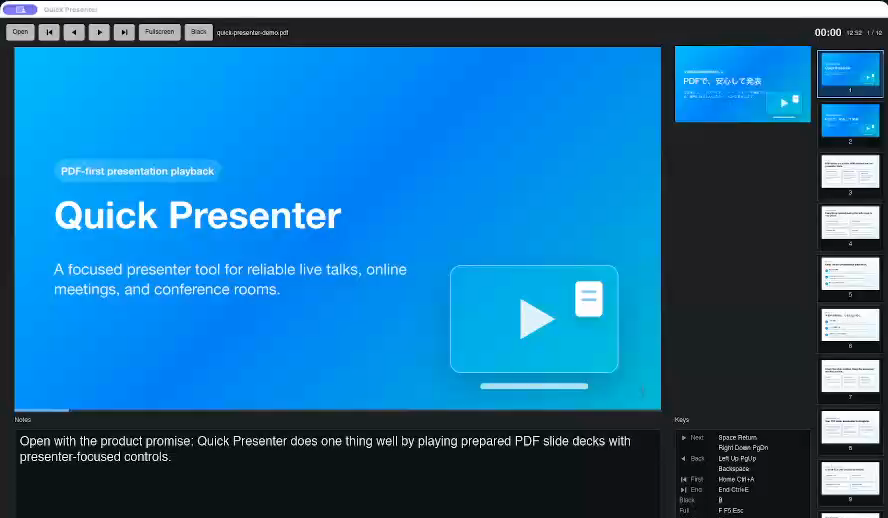
Presenter window
The speaker-facing window keeps the active slide, next slide preview, speaker notes, timer, clock, and page position in one place.
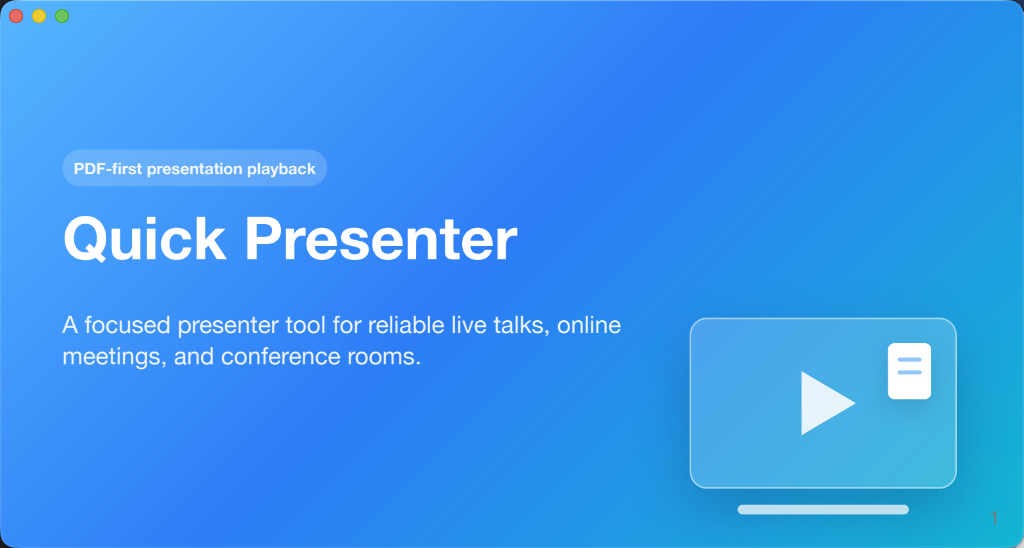
Audience output
The audience-facing slide window stays dedicated to the deck, while presenter details remain on the speaker side.
Get Quick Presenter 2.5.0
Install Quick Presenter 2.5.0 for your OS. For AI integration, use the GUI and CLI from the same v2.5.0 package.
New in 2.5.0: Mac App Store CLI support, more reliable presenter keys and fullscreen transitions, and improved macOS PDF opening. Read the release notes.
Quick Presenter v2.5.0 is available from Microsoft Store, with the qp.exe CLI execution alias included.
Microsoft StoreQuick Presenter v2.5.0 is available from Mac App Store, now with qp CLI control. Requires Apple silicon (M1 or later) and macOS 14.4 or later.
Mac App StoreInstall the v2.5.0 Debian package from GitHub Releases, with the qp CLI included.
Debian packageFor macOS, an open-source distribution package is also available as a signed and notarized v2.5.0 DMG. It includes the CLI and supports Apple silicon with macOS 13 or later. To install, open the downloaded DMG and copy Quick Presenter.app to your Applications folder.
The Store editions are donation editions: purchasing them supports development.
Open source · Support development
Public source, release notes, and issue tracking keep development open. Bug reports, ideas, and code contributions help improve reliable PDF playback and CLI integration across platforms.